Explore Zino AI
Walk through the real product before you create an account. Every screen below is the actual Zino AI interface running on synthetic sample data — no login needed.
The product interface is English today; patient-facing documents are generated in Arabic, and a full Arabic interface is on the roadmap.
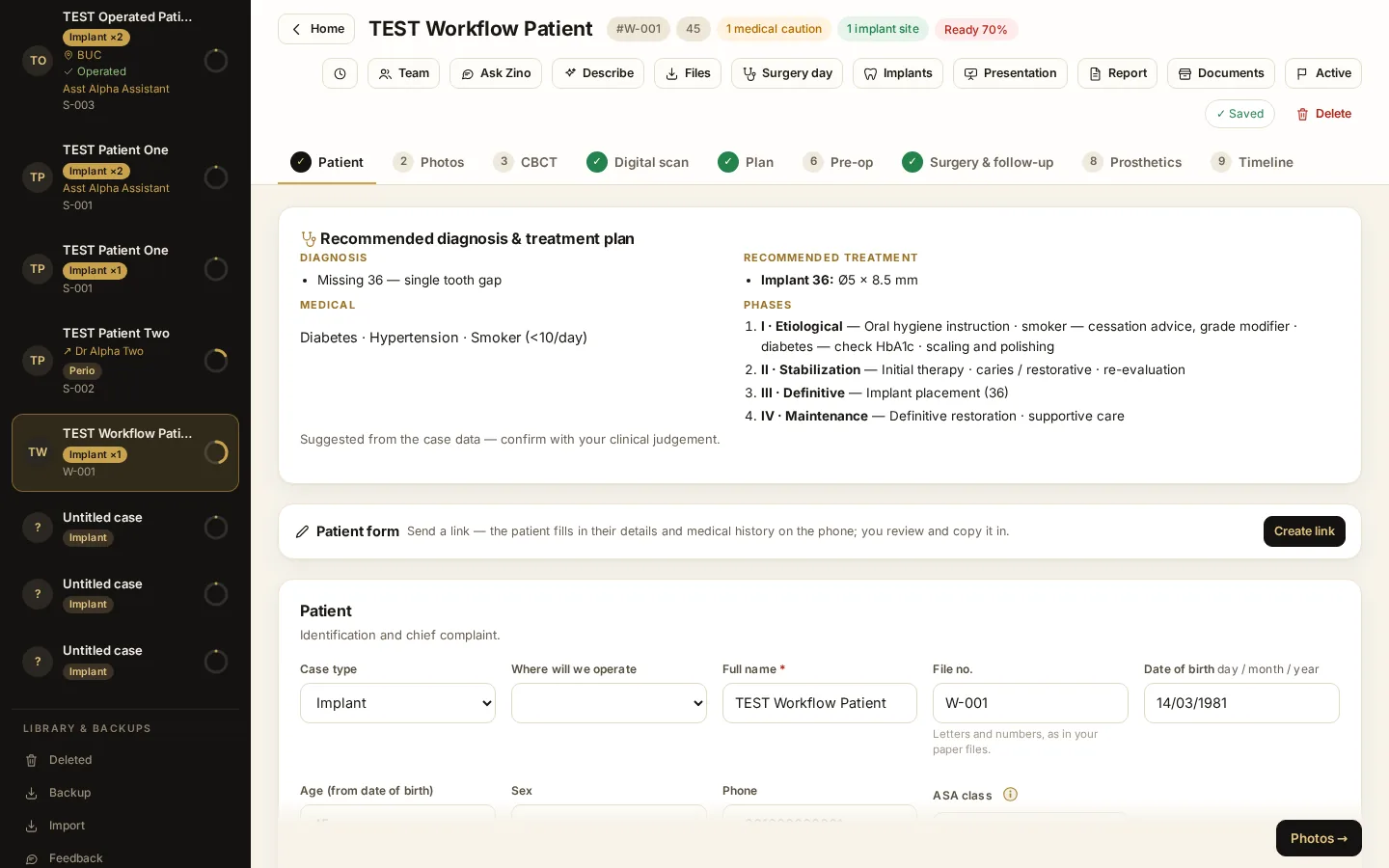
Patient Profile
One record per patient holds identity, medical alerts and history; every case, scan and file links back to it.
No more hunting through paper files: the whole patient story is one tap away.
Open a patient and see every implant case, perio case and document in one place.
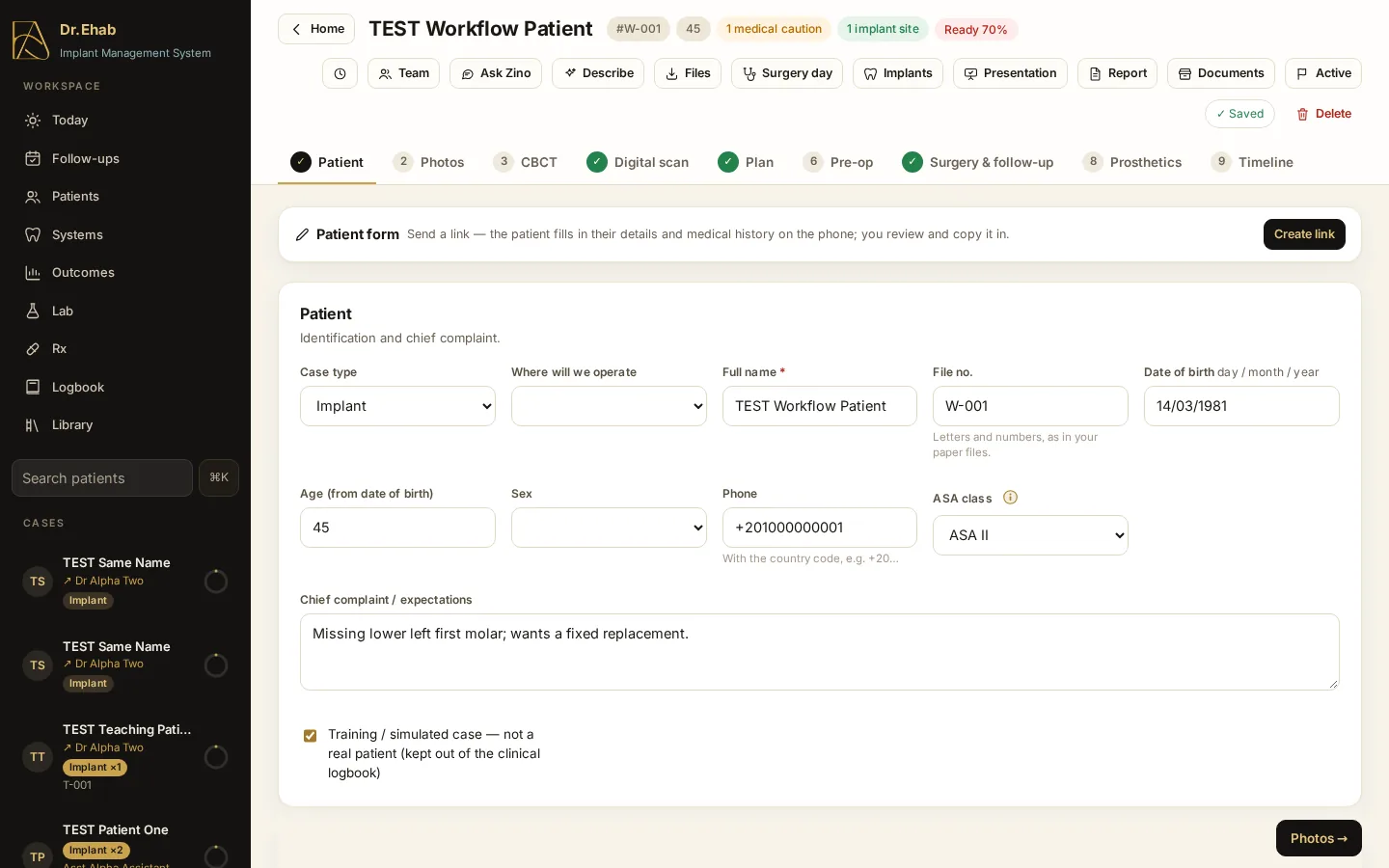
Clinical Case
Each case follows a guided workflow from first visit to final restoration, with a readiness score that shows what is still missing.
You always know the next step, and nothing is forgotten before surgery.
The readiness bar warns you while a pre-op item is still open.
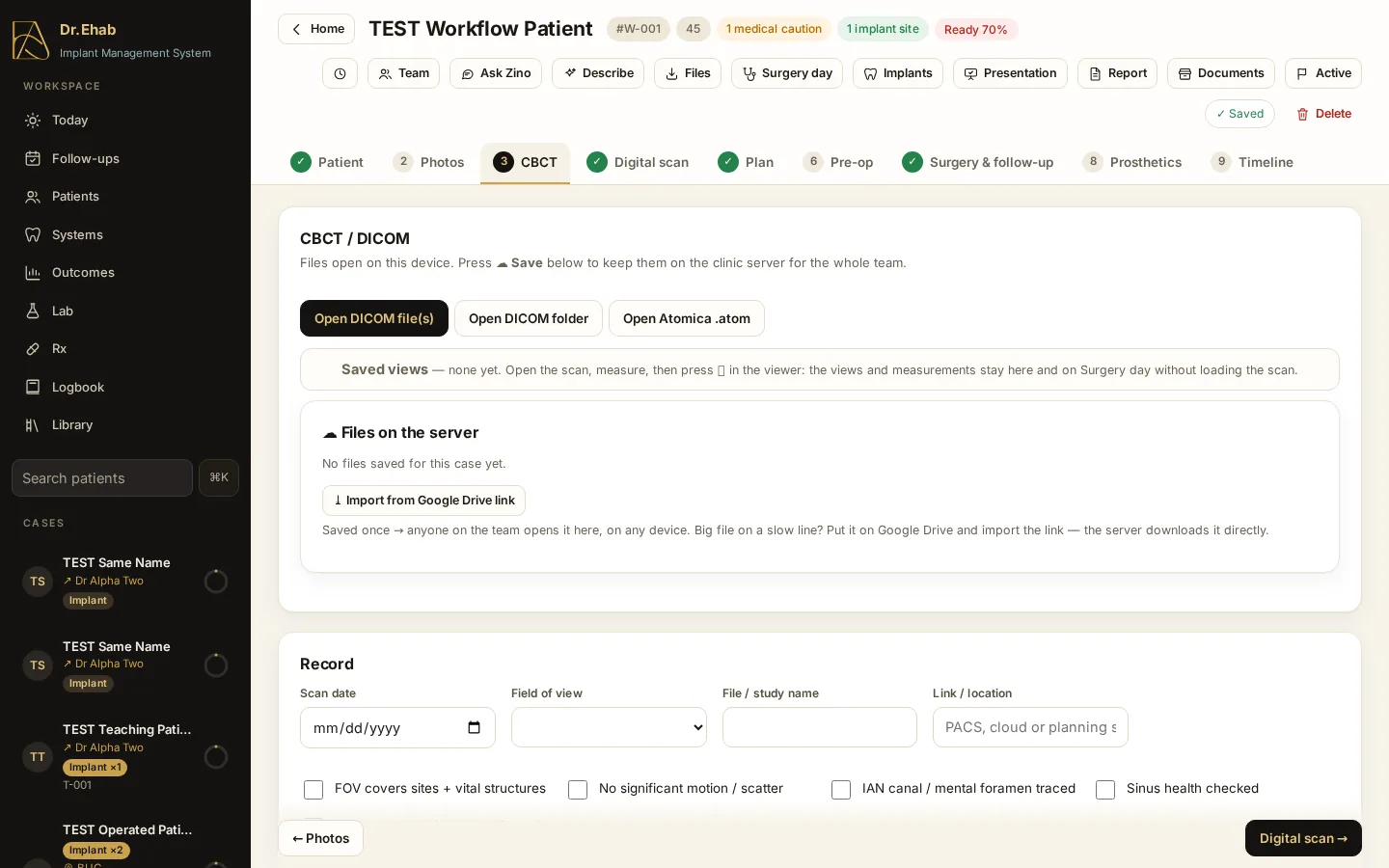
Imaging
Open CBCT DICOM files in the browser, measure, and save the views that matter to the case.
Your measurements and saved views are waiting on Surgery day — no reloading the scan.
Trace the IAN canal once; the saved view appears in the surgery checklist.
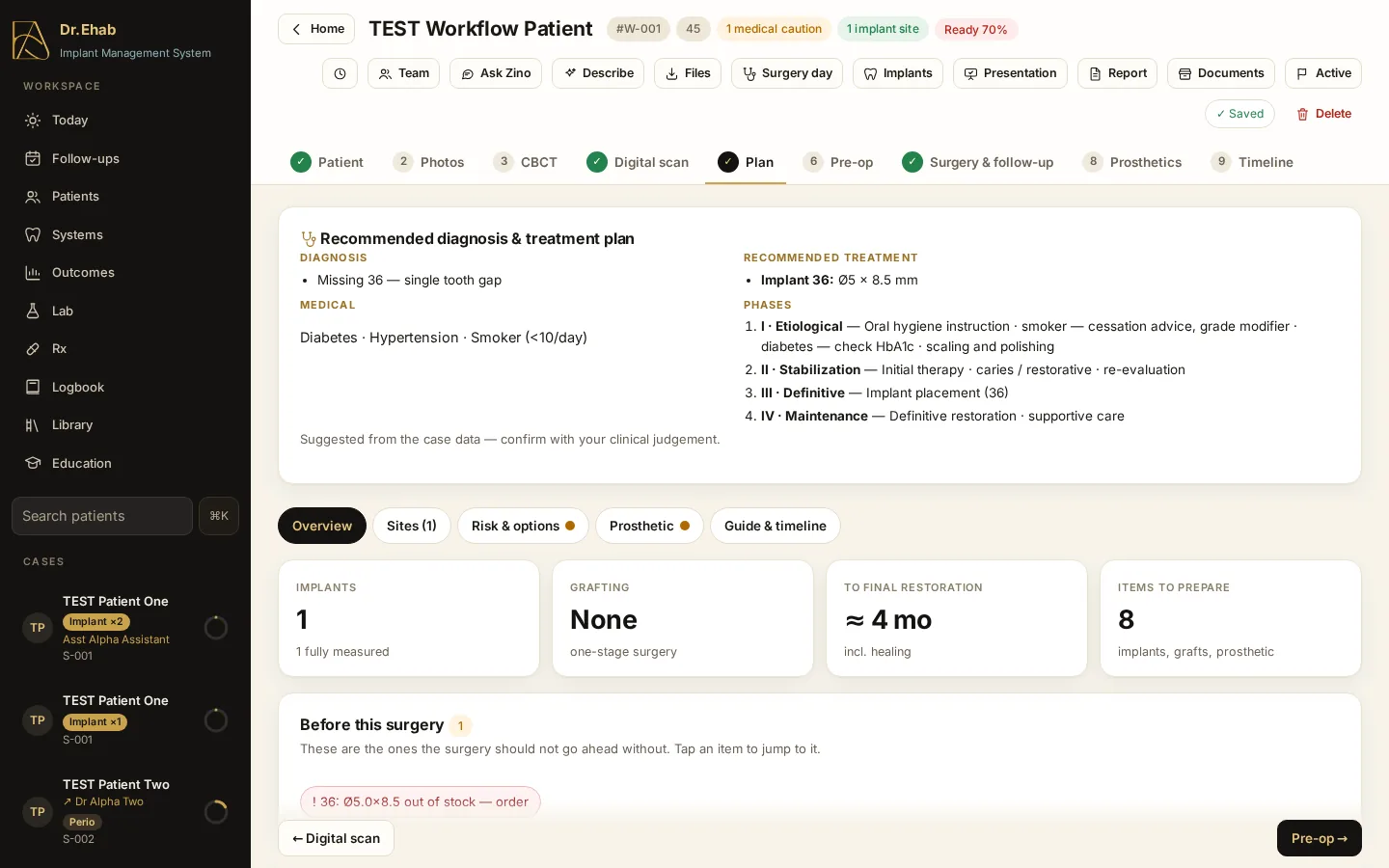
Treatment Planning
Zino suggests a diagnosis and a phased treatment plan from the case data, then tracks implants, grafting and time to final restoration.
A written plan in minutes, with a stock check that warns you before you book the surgery.
The plan flagged that the chosen implant size was out of stock before the surgery was scheduled.
Implantology
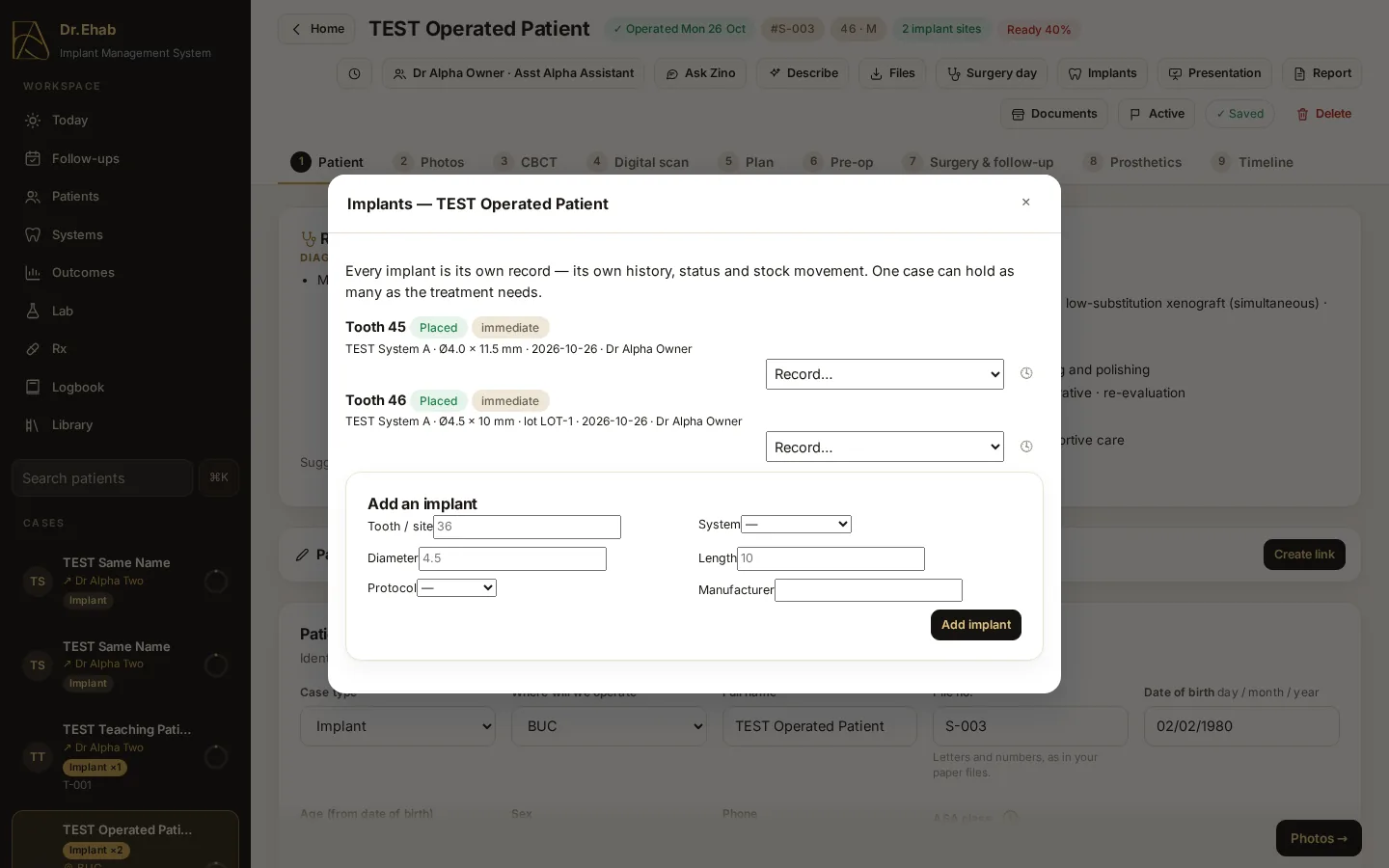
Every placed implant gets a record: system, diameter, length, lot number, insertion torque and status.
Your implant registry builds itself as you work — traceable per patient, per site.
Years later, open the record and know exactly which implant is in tooth 36.
Periodontal Chart
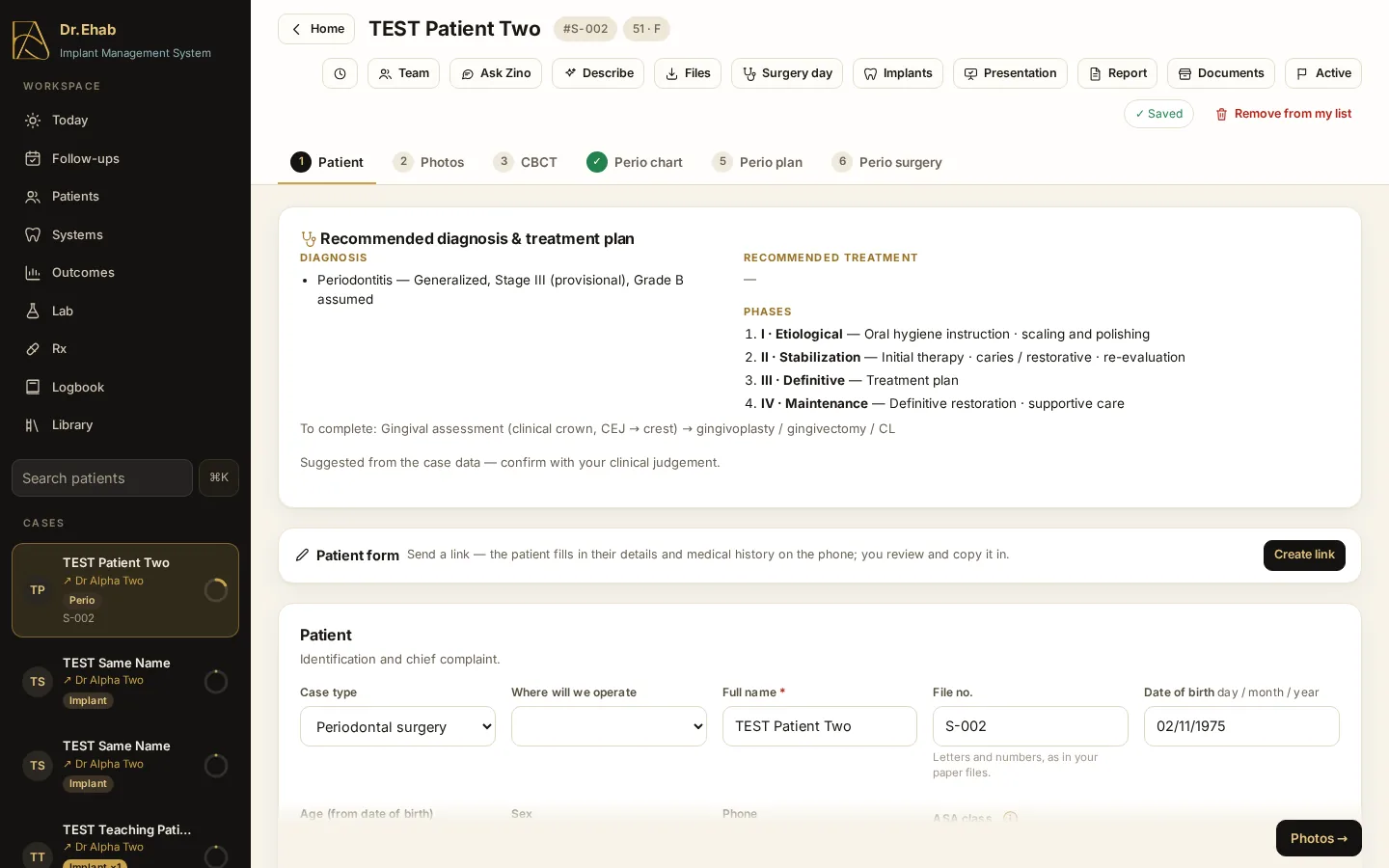
A full perio chart with pocket depths, recession, mobility and bleeding points, plus perio plan and surgery steps.
Charting becomes structured data you can compare visit to visit.
Compare this recall's chart with the baseline and show the patient the change.
Surgery Day
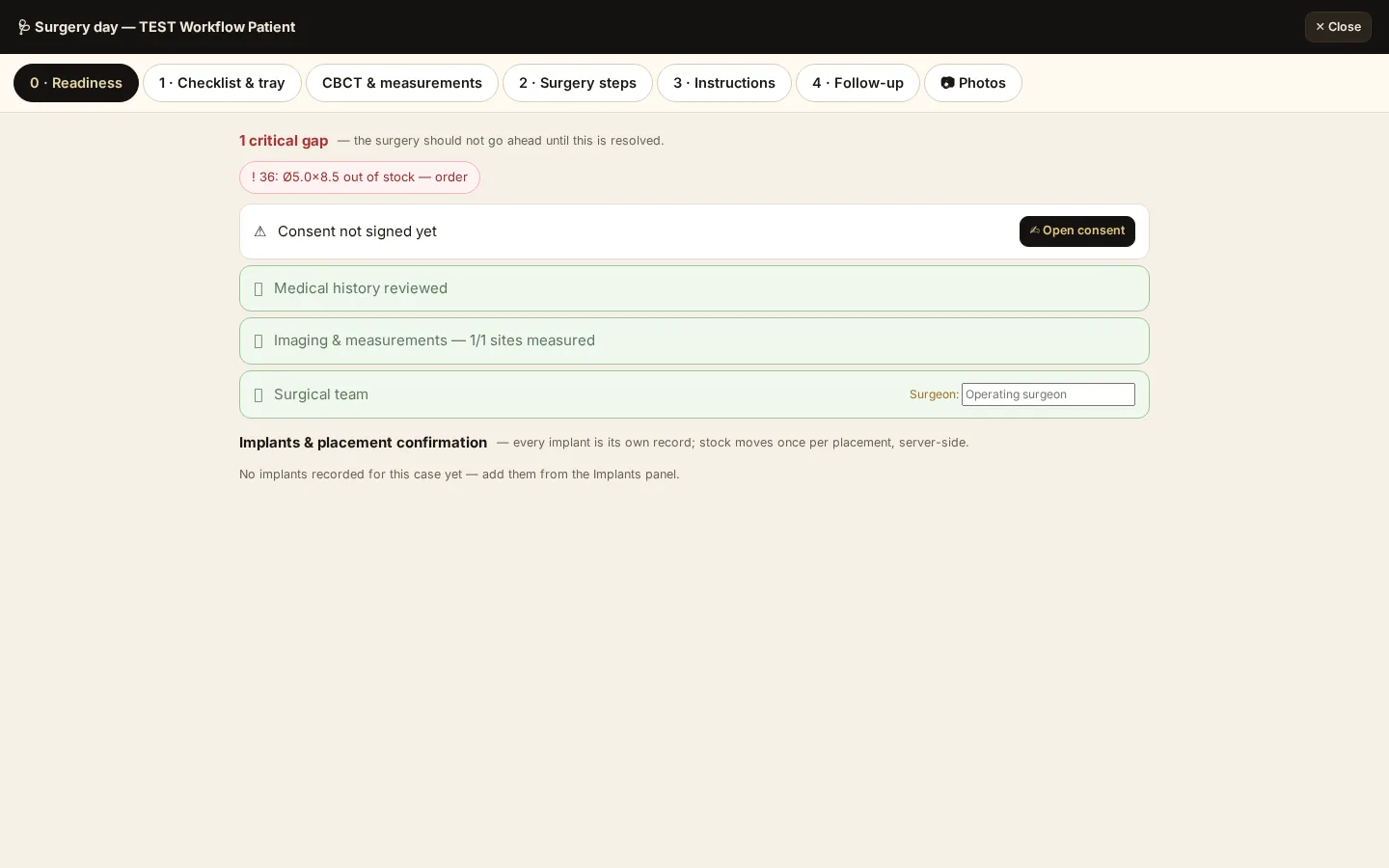
One screen for the operatory: checklist, saved imaging views, implant records and the op note, all from the case.
Everything you checked the night before is in front of you while you operate.
Tick each checklist item as done and dictate the op note into the case.
Follow-up
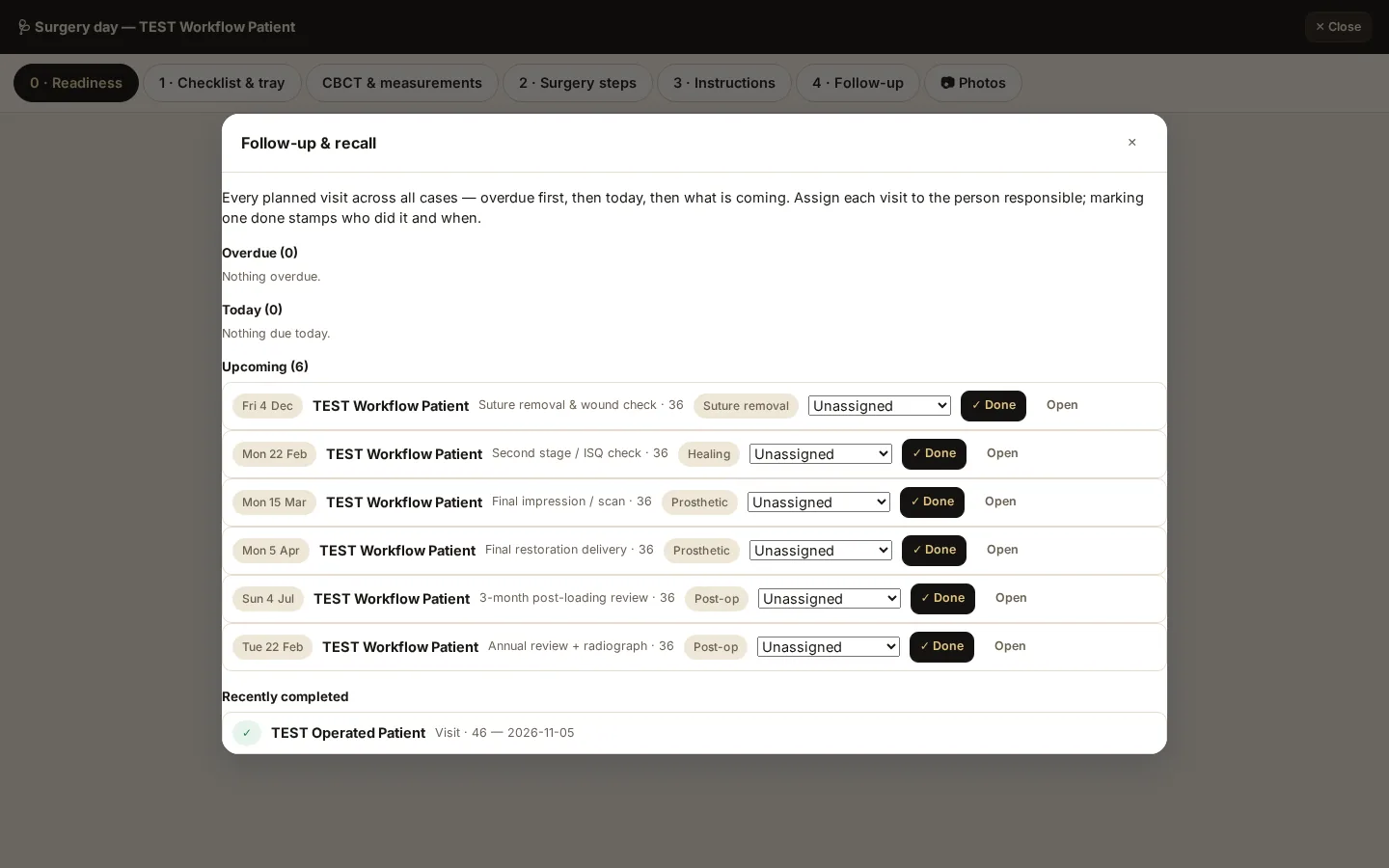
Follow-ups and recalls are scheduled from the case and surface on your Today screen when they come due.
No patient falls through the cracks after surgery.
The 6-month recall appears in Follow-ups and on Today on the day it is due.
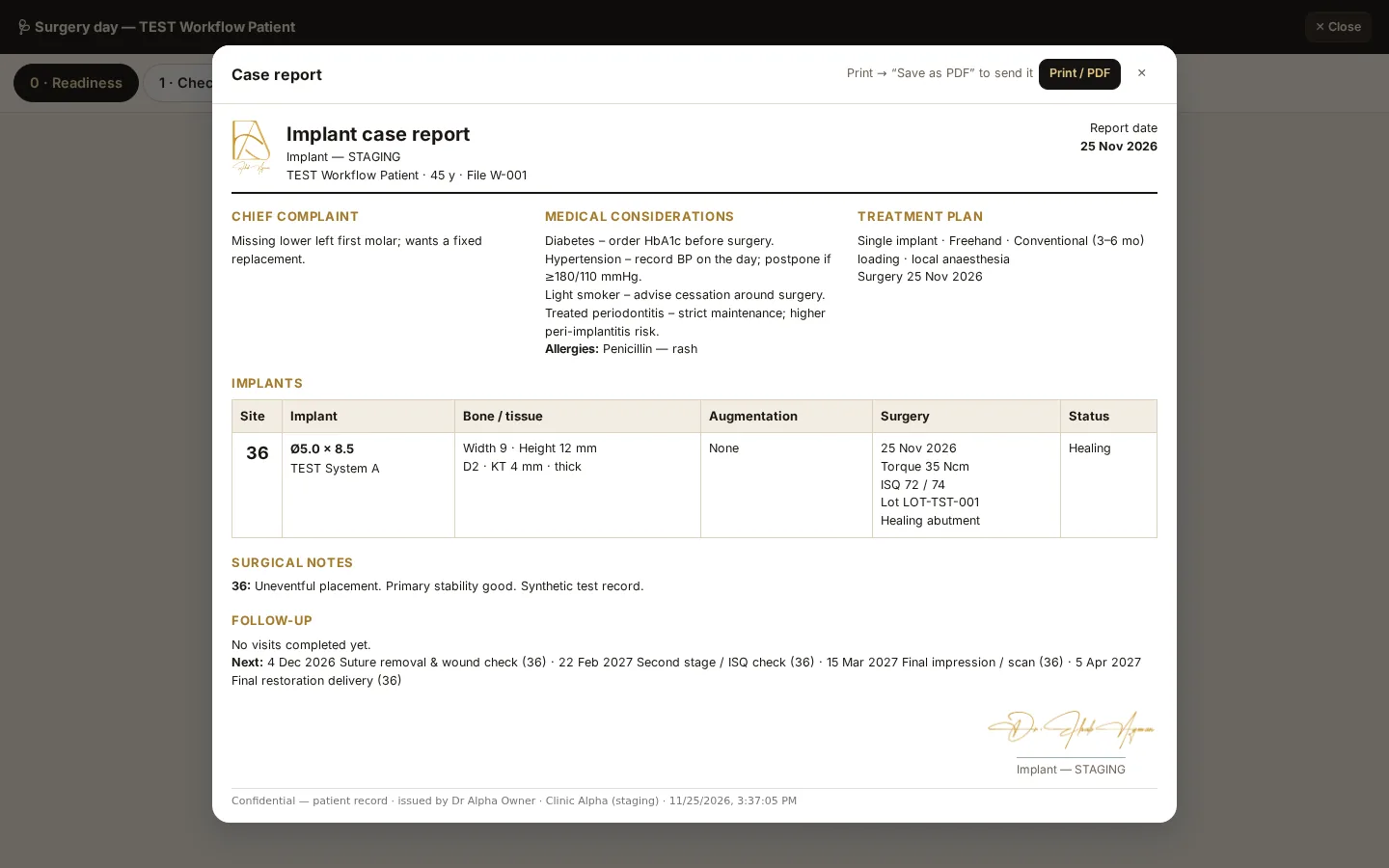
Reports
Generate a clinical report from the case — findings, plan, surgery and follow-up — ready to print or share as a PDF.
Referral letters and documentation take minutes, not an evening.
Send the referring dentist a complete report right after the surgery.
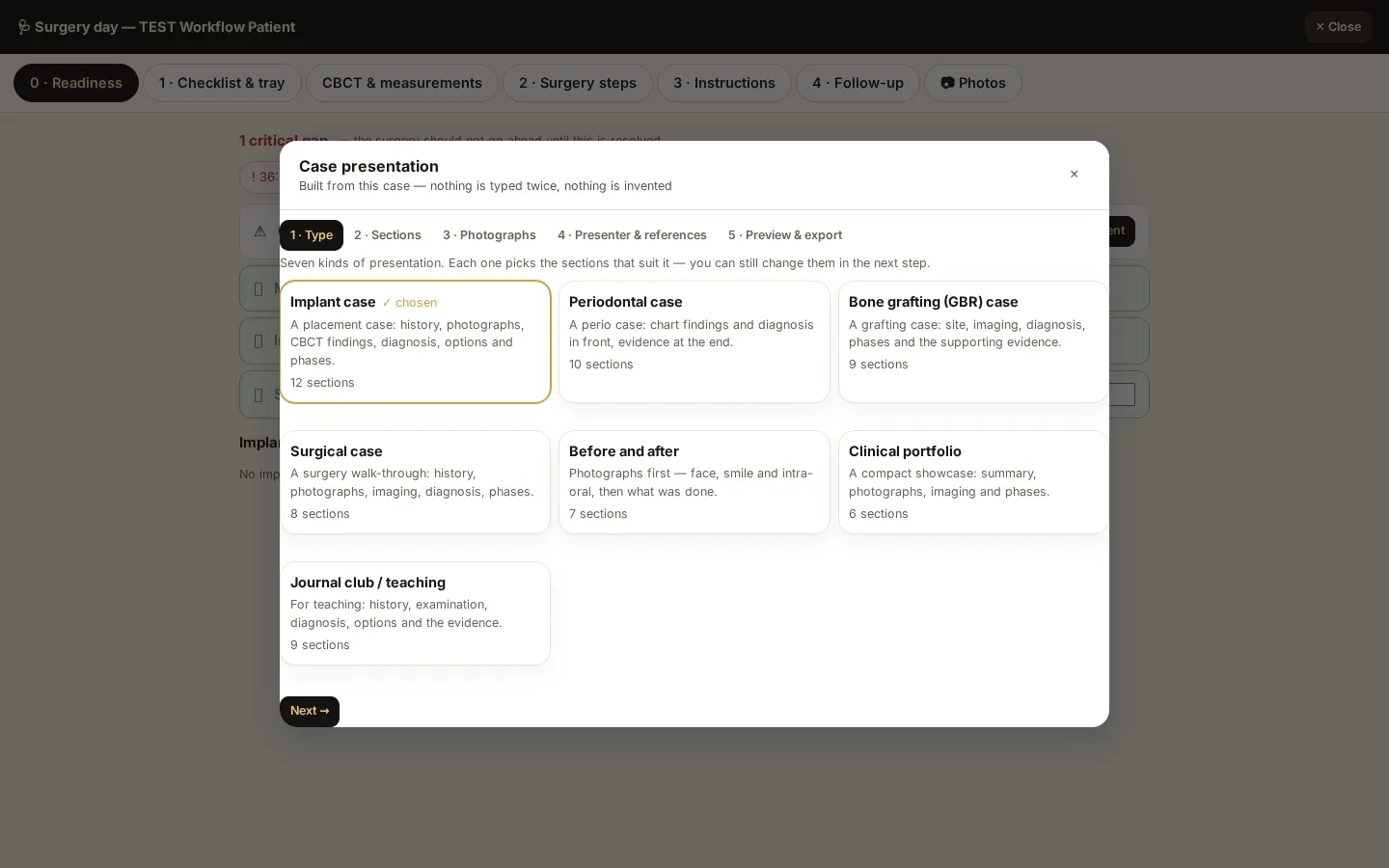
Case Presentation
Turn the case into a clean visual presentation: findings, options and plan, in the patient's language.
Patients understand the plan, and accept it, faster.
Show the patient their own case on the clinic screen instead of a sketch on paper.
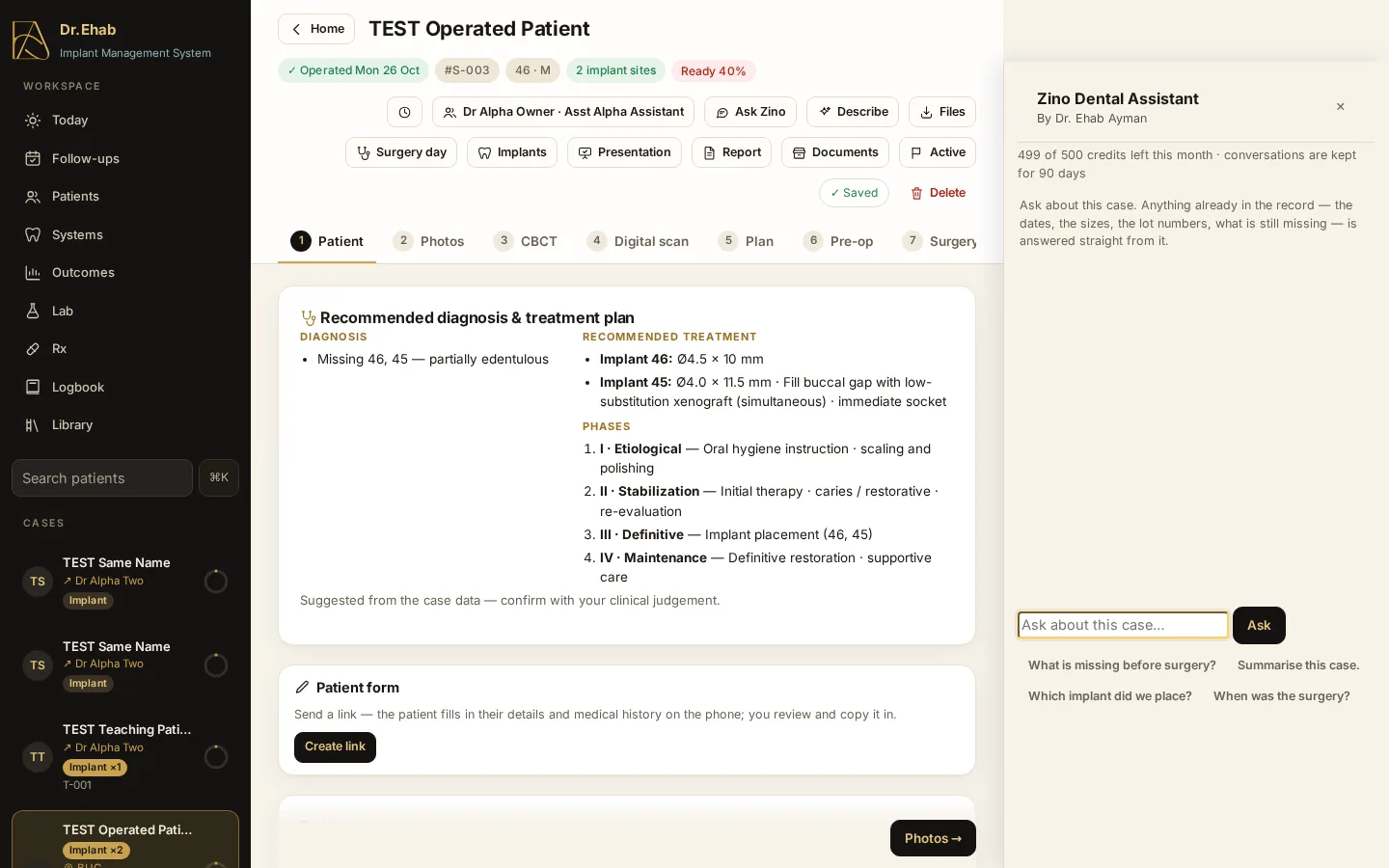
Ask Zino
An assistant inside the case that reads only what you are allowed to see and answers from the record, with your plan's AI credits shown.
Ask the record instead of searching it.
Ask which pre-op items are still open and get the answer from the case itself.
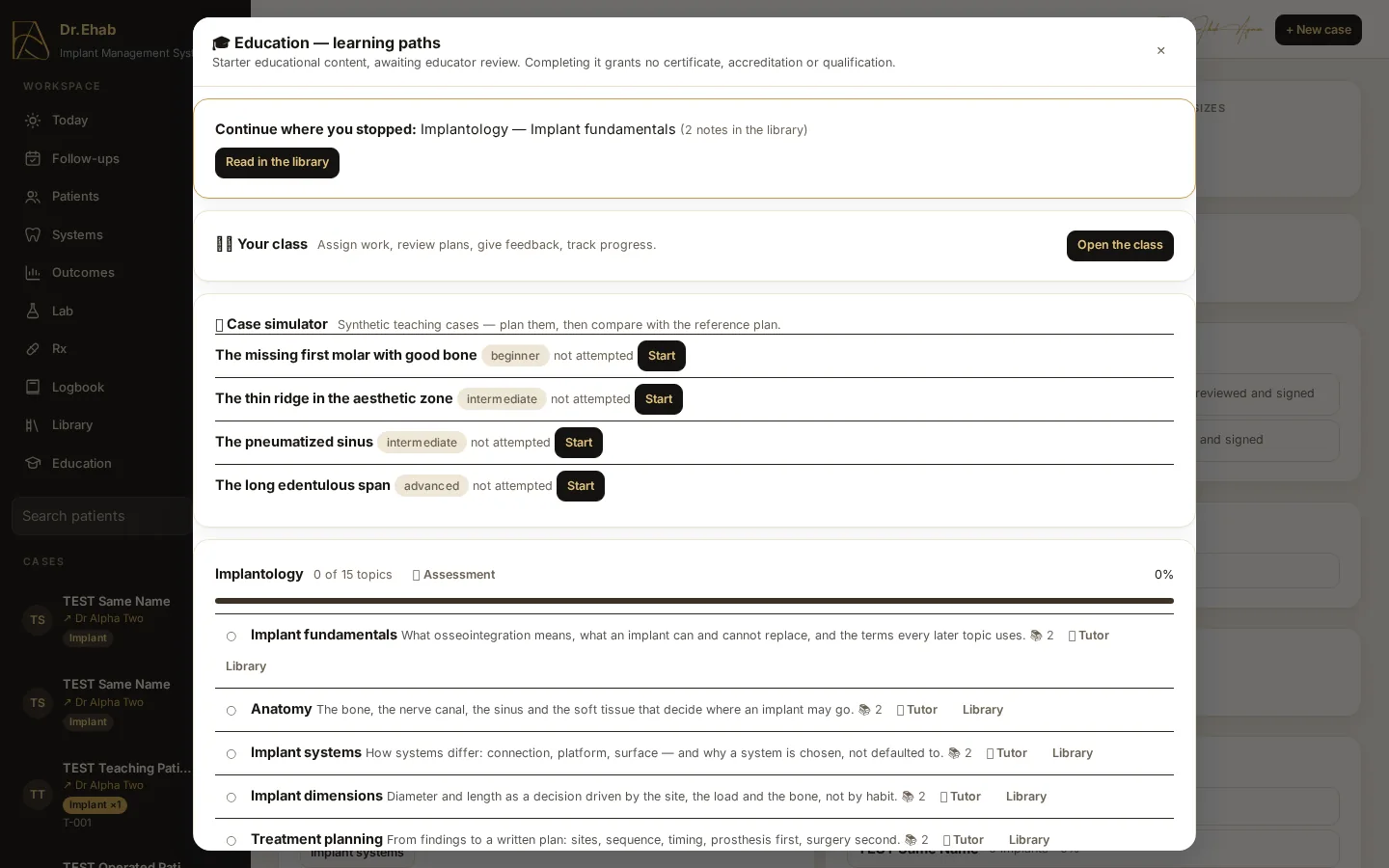
Students Learning Environment
Learning paths, a case simulator with reference plans, and a Socratic tutor backed by the scientific library.
Students practice planning on synthetic cases before touching a real patient.
A resident plans the 'missing first molar' simulation and compares their plan with the reference.